How to Make Scary Story Videos with AI, Step by Step
The exact Korpi workflow for narrated scary story shorts: set a horror tone in the creator brief, generate the script, pick a dark art style, add effects and a reader voice, and render.
Published
Quick answer
Open Horror AI Story. On the Script tab, click Generate w/ AI, start from the Midnight mystery recipe, set Tone to Horror (or Scary, Creepy or Thriller) and click Build my script. Pick an Art Style, generate the scenes, add effects such as rain or VHS on the Effects tab, choose a reader voice on the Audio tab and click Generate video. For a lighter ghost series with recurring characters, use Haunted House instead.
What a scary story video looks like
A scary story short is one narrator reading a horror story over a run of dark, illustrated scenes. It opens on one unsettling detail, escalates and ends on a reveal. Captions follow the narration, and the art style, effects and music set the mood.
Korpi has two creators for this:
- Horror AI Story (the AI Story creator) is narrated horror with your choice of art style, from Dark Cartoon to Ultra Realism.
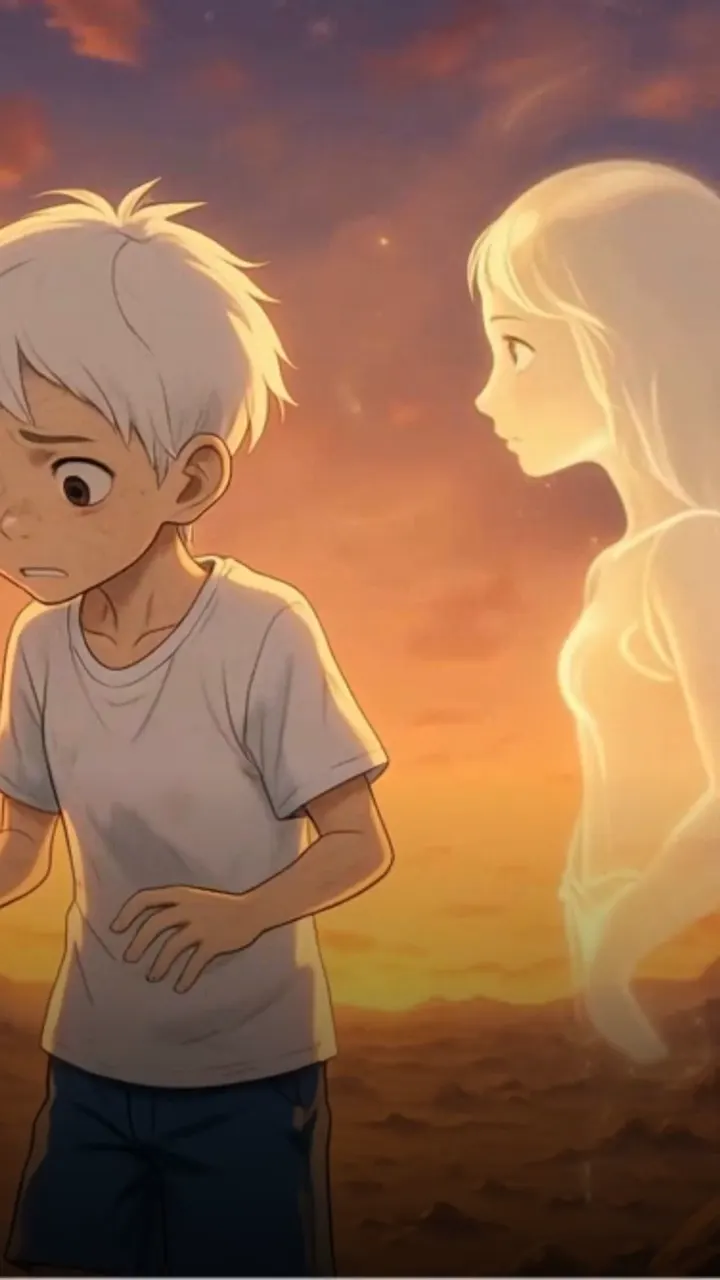
- Haunted House is a recurring 3D ghost drama: a broke student buys an impossibly cheap cursed mansion and meets the ghost who lives there. It is spooky rather than gory and works well as a series.
Step 1: Set the brief to a horror tone
Open Horror AI Story. The first tab is Script, with Script & Style and Font Settings sub-tabs and a 9:16 / 16:9 switch. Click Generate w/ AI above the AI Video Script box.
The Generate tab is a creator brief ("Turn a rough idea into a clear story plan"). Start from a recipe, or fill it in yourself:
- 1Start from a recipe. Midnight mystery ("Escalate one strange clue toward a sharp reveal") fills the whole brief with a horror-friendly setup. Surprise me fills it at random.
- 2What are you starting with? One sentence is enough, for example "A night-shift worker notices the same impossible detail appearing at exactly midnight."
- 3Opening hook. Unsettling detail, Curiosity gap, Drop into action, Bold contradiction or Direct question.
- 4Tone. Choose Horror, Scary, Creepy or Thriller. Dark and Suspenseful also work for slower stories.
- 5Length. From Quick · 30s to Deep · up to 15m.
- 6Topic lane (optional). Mystery, Historical, Mythology and more.
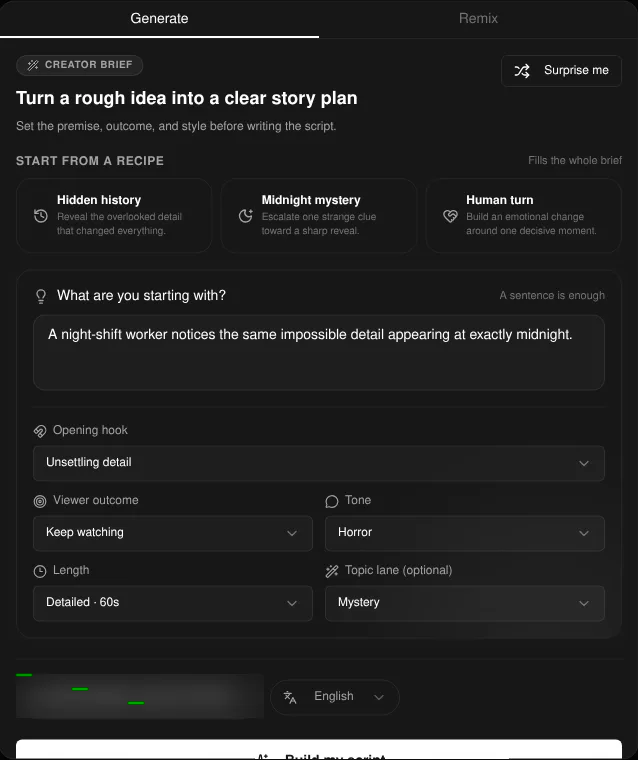
Pick the language and click Build my script. The Remix tab is the other option: it writes a new script from a TikTok or YouTube link or an uploaded video.
Step 2: Edit the script and pick an art style
The script lands in the AI Video Script box, with its estimated duration above it. Save version keeps a draft and Versions brings one back. Edit before you generate scenes, because changing the script later clears the generated scenes.
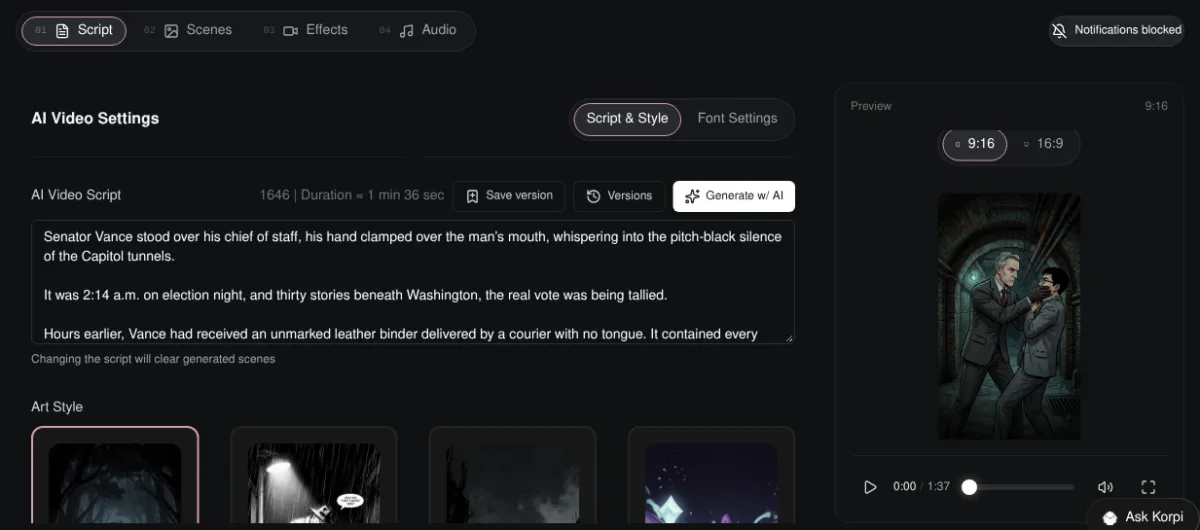
Below the script, pick an Art Style. Dark Cartoon is the default. Dark Comic, B&W Comic, Creepy Normal Cartoon, Cinematic and Ultra Realism all suit horror.
Tip: horror lands on specifics. A time (2:14 a.m.), a place (Sub-Level 4) and one wrong detail are scarier than "something evil".
Step 3: Or start a Haunted House episode
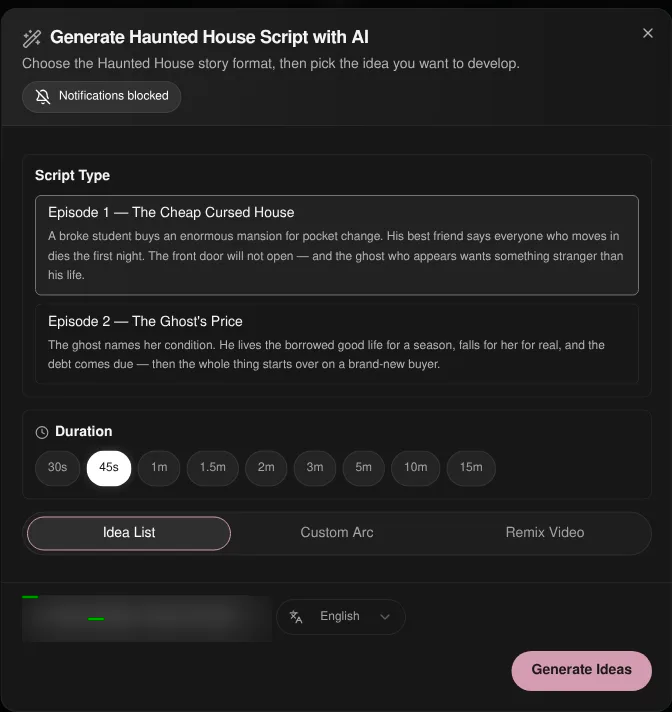
If you want a recurring cast instead of a one-off story, open Haunted House and click Generate w/ AI. Its Script Type has two episodes: Episode 1 — The Cheap Cursed House and Episode 2 — The Ghost's Price. Pick a duration and a source (Idea List, Custom Arc or Remix Video) and generate the dialogue script.
Step 4: Generate the scenes, add effects and render
On the Scenes tab, generate the scene images and regenerate any scene that is not dark enough. Animate them one by one or all at once.
Horror AI Story has an Effects tab for transitions, a glitch effect and video overlays such as Rain, VHS and Camera Burn. On the Audio tab, choose the reader voice and music. Then click Generate video.
Plan it for free first (optional)
If you work inside Claude or ChatGPT, connect Korpi MCP. Its script and storyboard planning tools are free on every account, no plan needed. Draft the story and the reveal in chat, then paste the script into the AI Video Script box.
What makes a scary story video work
- Open on the wrong detail. The first line should already be strange.
- One rule, then break it. "The corpses never move." Then one does.
- Keep it short. 45 to 60 seconds is enough for one escalation and one reveal.
- End on the reveal, not the explanation. Let the last line land and cut.
Scary Story FAQ
Which Korpi creator is best for scary stories?
Horror AI Story for one-off narrated horror with your choice of art style. Haunted House for a recurring, lighter ghost series with the same characters every episode.
Can I pick how scary it is?
Yes. In the creator brief, Tone has Horror, Scary, Creepy and Thriller, plus Dark and Suspenseful for slower stories.
Can I use my own story?
Yes. Paste it into the AI Video Script box instead of generating one. Korpi plans the scenes from your text.
Is it free?
You can watch the example free, and planning through Korpi MCP is free on any account. Generating and exporting your own scary story video needs a paid Korpi plan. See pricing for current plans.
See what else Korpi makes
Every video below is a real render — click one and make your own version.
Ready to create viral content?
Watch the example free and plan scripts free with Korpi MCP. Generating and exporting your own scary story video requires a paid plan.
Open This NicheFound this helpful? Share it with other creators!