How to Make a POV History Video, Step by Step
The exact Korpi workflow for first-person "you are there" history shorts: pick the Ice Age, Viking or Roman era, set the day and the threat, generate ten photoreal action-camera scenes, and render.
Published
Quick answer
Open POV Survival Vlog. On the Script tab, click Generate w/ AI and pick an era: Ice Age Caveman, Viking Raider or Roman Legionary. Choose an idea from the Idea List or fill in Custom Setup (the day, the threat and the audience choice) and generate the narration. On the Scenes tab, Korpi makes ten photoreal first-person scenes of six seconds each. Check the music on the Audio tab and click Generate video.
What a POV history video looks like
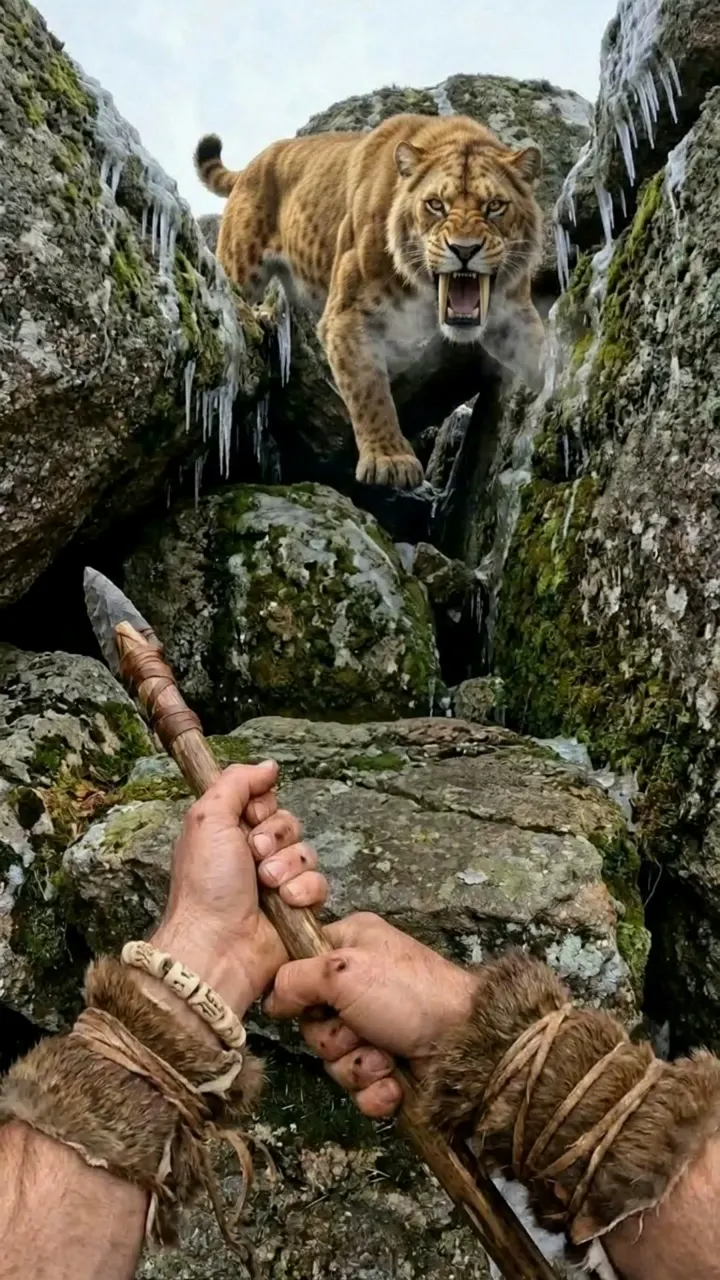
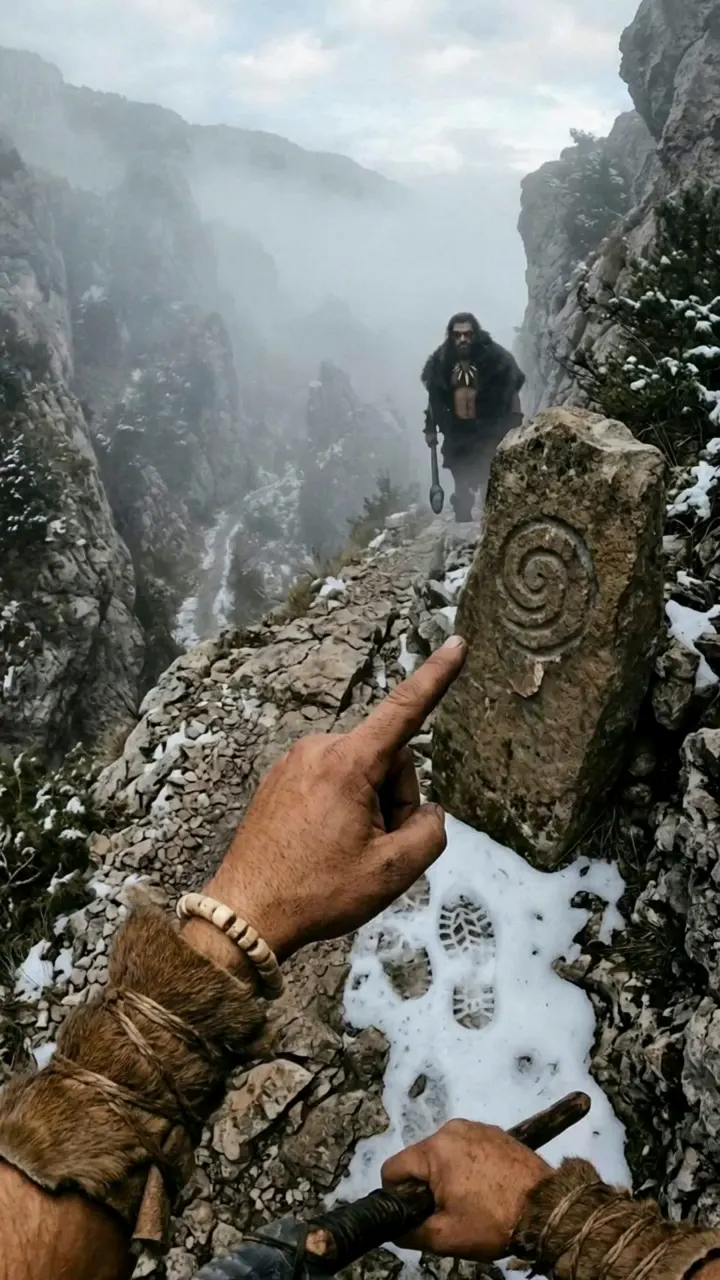
The viewer is the vlogger. Everything is filmed from a head-mounted action camera with a slight fisheye, so you only ever see the narrator's hands, forearms and feet, never his face. He talks to camera as he survives one day in the past: tracking prey, crossing ice, facing a predator. The footage is photoreal, not cartoon, and there is no gore.
The example video is an Ice Age day. It starts in a cave beside a fire, follows fresh tracks through the snow with a white wolf pup, faces a sabre-tooth cat and ends at a carved standing stone, asking the audience which way to go next.
Step 1: Pick an era
Open POV Survival Vlog. The first tab is Script, with a One-off / Series switch and a Narration Script box. Click Generate w/ AI.
Under Script Type, pick the era:
- Ice Age Caveman (the default): "Survive the Ice Age first-person with a tribe tracker, a white wolf pup, and megafauna on every trail."
- Viking Raider: "Survive storms, frozen fjords, bears, and a rival raid captain from behind a round shield."
- Roman Legionary: "Survive frontier ambushes, river floods, and wild boar from behind a legionary shield."
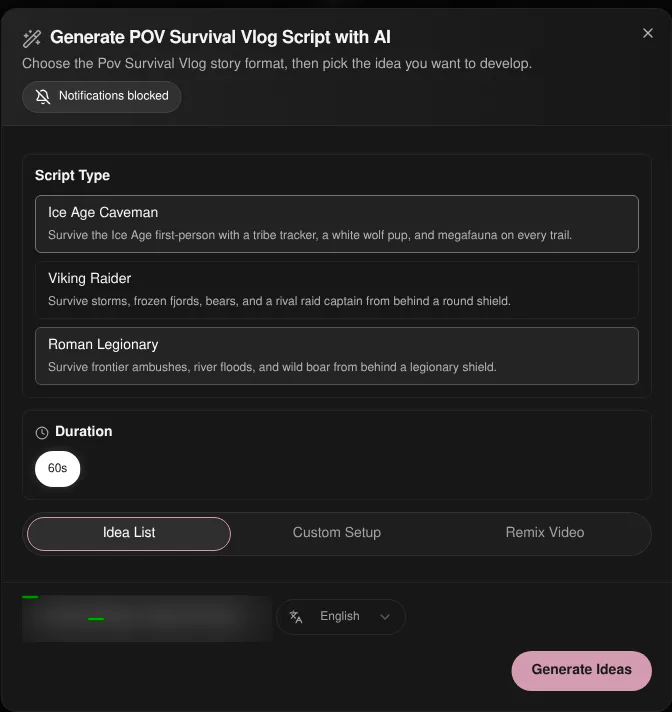
Duration is fixed at 60s for this format.
Step 2: Set the day, the threat and the choice
Pick a source:
- 1Idea List. Click Generate Ideas and choose one.
- 2Custom Setup. Fill in Day & Setting (for example "Day 14 of surviving the Ice Age — snowy pass") and Threat & Audience Choice (for example "a sabre-tooth cat on the trail; choice: follow the tracks or go back to the cave"). Add Extra Direction if you want. For the Ice Age era, the helper line reminds you the recurring cast is Enna, Frost and the rival Karg.
- 3Remix Video. Paste a TikTok, YouTube or Instagram link to write a new script from it.
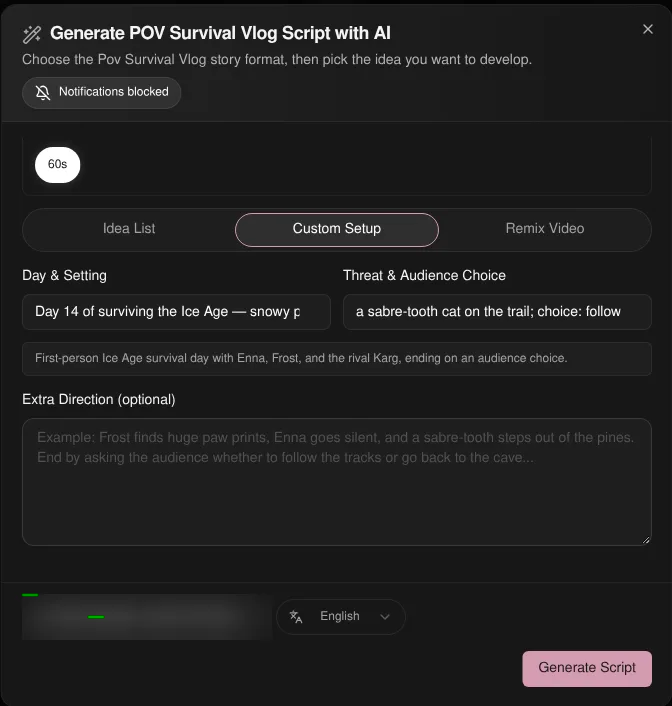
Click Generate Script. The narration lands in the Narration Script box, written as one vlogger talking to camera.
Step 3: Generate the first-person scenes
On the Scenes tab, Korpi builds the episode as exactly ten scenes of six seconds each, in photoreal first-person action-camera footage with a locked survival cast. The same companions and the same gear appear in every scene.
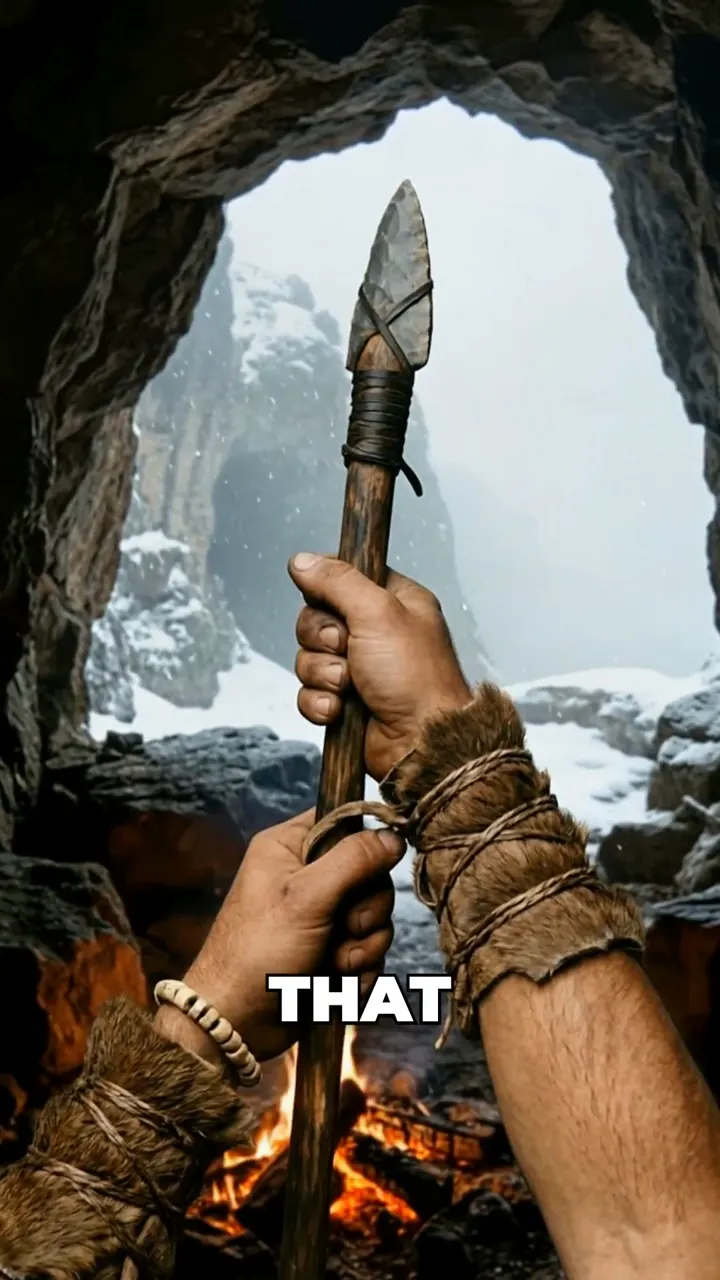
Check each scene against its line. The threat scene should feel close and physical. Regenerate any scene that breaks the point of view, then animate the scenes.
Step 4: Audio and render
On the Audio tab, Select Background Music starts with no background music, so the vlogger's voice and the scene sound carry the video. Add a track if you want one. Captions are burned in.
Click Generate video and download the finished file.
Plan it for free first (optional)
If you work inside Claude or ChatGPT, connect Korpi MCP. Its script and storyboard planning tools are free on every account, no plan needed. Plan the day and the cliffhanger choice in chat, then make the episode in the creator.
What makes a POV history video work
- One day, one threat. "Day 14, a sabre-tooth on the pass" beats "life in the Ice Age".
- Talk to the viewer. The vlogger explains what he is doing and why, so the history comes through the action.
- Use real period details. Fur wraps, stone spears, round shields and legionary kit make the era readable in one frame.
- End on a choice. Ask the audience what to do next. It drives comments and sets up part two.
POV History FAQ
Which eras can I choose?
Ice Age Caveman, Viking Raider and Roman Legionary. Each has its own setting, threats and recurring cast.
How long is a POV history video?
60 seconds: ten first-person scenes of six seconds each.
Will the narrator's face ever be shown?
No. The camera is head-mounted, so only the hands, forearms and feet are on screen. The vlogger speaks from off camera.
Is it free?
You can watch the example free, and planning through Korpi MCP is free on any account. Generating and exporting your own POV Survival Vlog video needs a paid Korpi plan. See pricing for current plans.
See what else Korpi makes
Every video below is a real render — click one and make your own version.
Ready to create viral content?
Watch the example free and plan scripts free with Korpi MCP. Generating and exporting your own POV Survival Vlog video requires a paid plan.
Open This NicheFound this helpful? Share it with other creators!