How to Make a Fruit Love Island Video, Step by Step
The exact Korpi workflow for Fruit Love Island episodes: pick a villa drama, lock a fruit cast, generate the scenes, add music and captions, and render a one-minute vertical episode.
Published
Quick answer
Open AI Fruit Story and choose the Fruit Love Island script type ("Villa bombshells, recouplings, lie detector"). The creator switches to three tabs, Idea, Cast and Result. Pick one of five episode ideas or write your own, click Continue to cast, review the fruit islanders and villa references, generate the scenes, set music and captions, then render. Each episode is about one minute long and is built from 13 to 14 short scenes.
What a Fruit Love Island video looks like
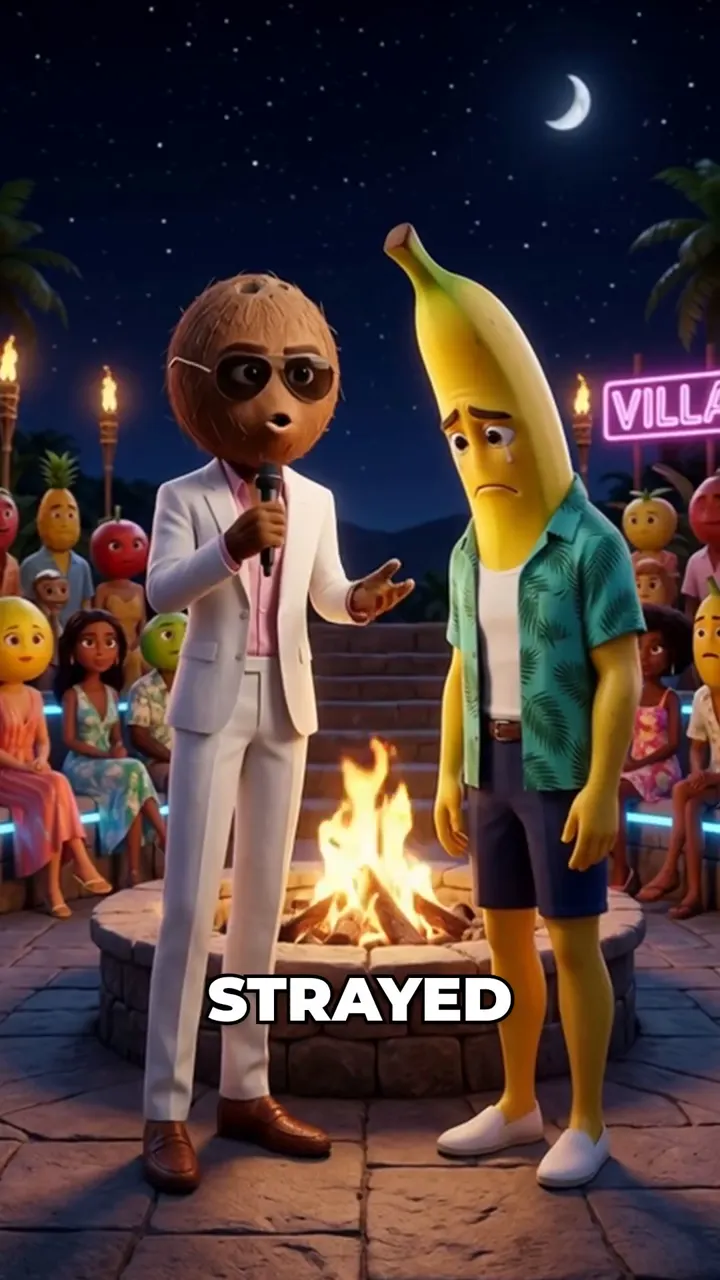
It is a dating-show parody where every islander is a fruit-headed character in resort clothes. A coconut host with a microphone runs the villa. A strawberry, a banana and a dragon fruit bombshell argue at the pool, the beach hut, the lie detector and the fire pit. Every scene has spoken dialogue, and big word-by-word captions sit in the middle of the frame.
The example episode runs 1:01 across 13 scenes. Its cast is coconut host Coco, strawberry Bella, banana Jay and dragon fruit Dex, with three villa locations: the pool terrace, the lie detector room and the fire pit at night.
Step 1: Pick the format and an episode idea
Open AI Fruit Story and click Generate w/ AI above the Story Script box. Under Idea Style, choose Fruit Love Island. The dialog closes and the creator opens the Fruit Love Island flow, where the tabs become Idea, Cast and Result.
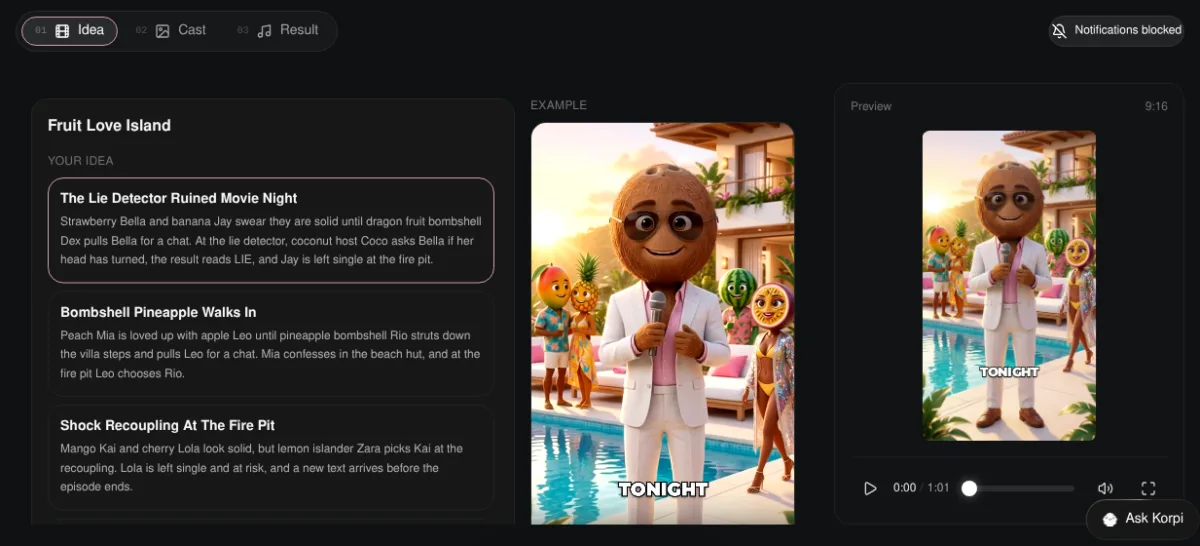
The Idea tab lists five ready ideas under Your idea:
- 1The Lie Detector Ruined Movie Night
- 2Bombshell Pineapple Walks In
- 3Shock Recoupling At The Fire Pit
- 4Caught On Movie Night
- 5The Loyalty Test Postcard
Each one names its islanders and the villa moment it turns on. Pick one, or choose Write your own and describe your episode. The language is fixed to English for this format. All styles takes you back to the other AI Fruit Story styles. When you are happy, click Continue to cast. Korpi writes the episode script in the same dialogue format as the example: one line per scene, each with a setting and a single spoken line.
Step 2: Review your cast and generate the scenes
The Cast tab builds one reference image for each islander and each villa location the script needs. In the example the Cast row holds seven: Coconut Host Coco, Strawberry Bella, Banana Jay, Dragon Fruit Dex and three villa sets. These references are reused in every scene, so Bella looks the same at the pool and at the fire pit. Regenerate Characters makes a new set if the cast is wrong.
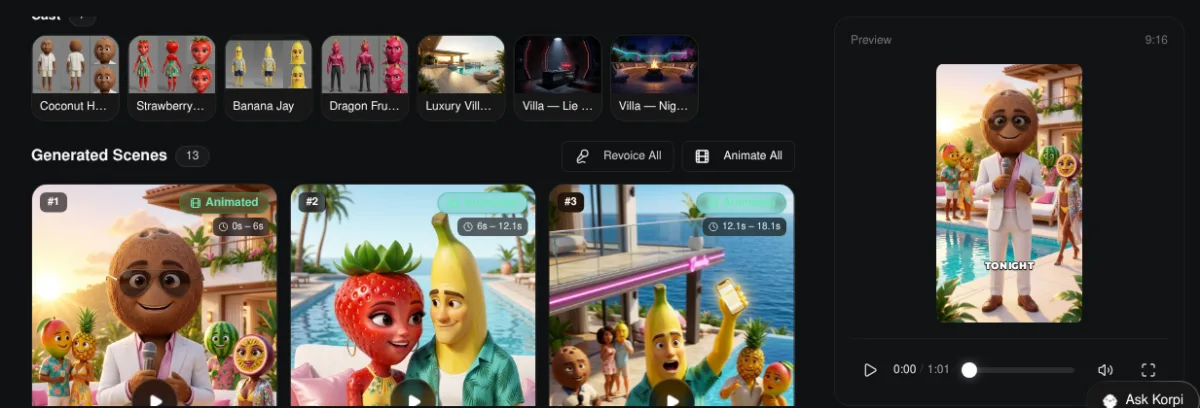
Korpi writes the scene prompts from your script and decides how many scenes to make, so the exact count appears once generation runs. Generate Scenes fills Generated Scenes with one vertical image per scene, each labelled with its time range. Generate & Animate does both in one go. When the stills are ready you can animate the whole episode with Animate All, and Revoice All redoes the voices after you edit dialogue.
Step 3: Check the scenes against the story
Play the preview on the right and read each scene against its line. A lie detector beat should show the host, the islander strapped in and the result. A recoupling should show the fire pit. The example below is scene 10 of the example episode, where the host reads the result.
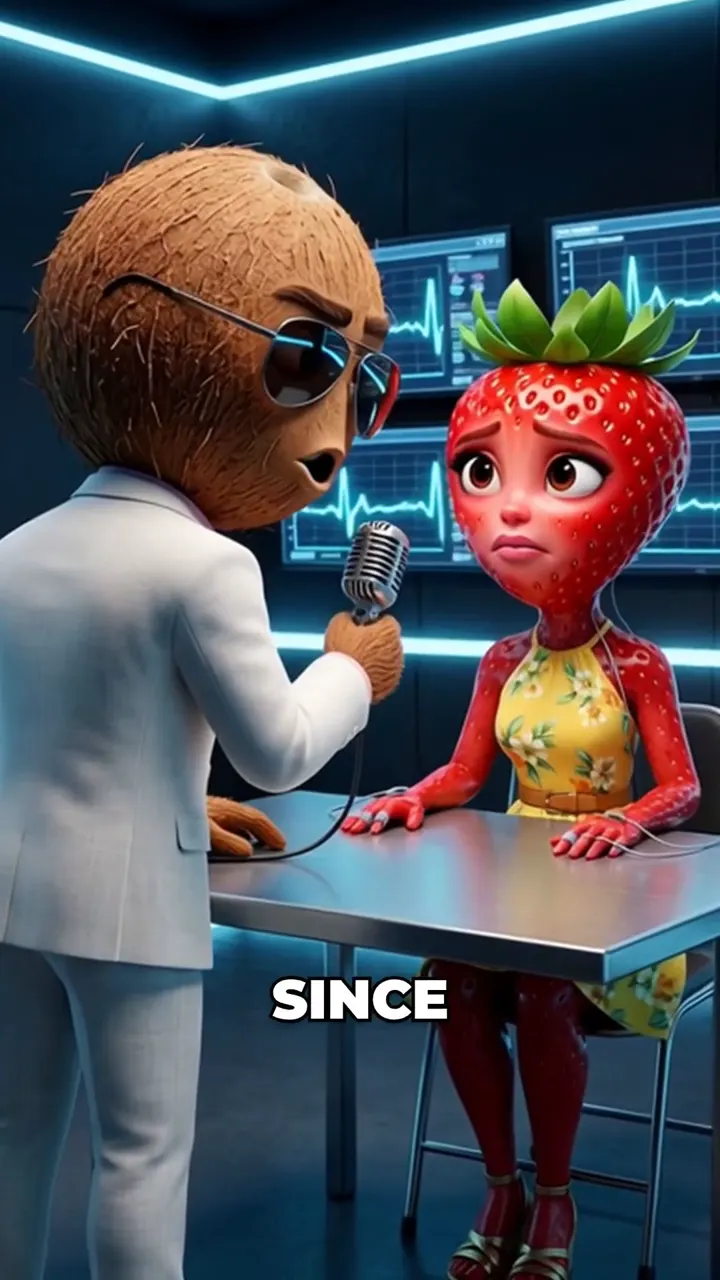
If a moment reads wrong, regenerate only that scene. You do not have to redo the episode.
Step 4: Set music and captions on the Result tab
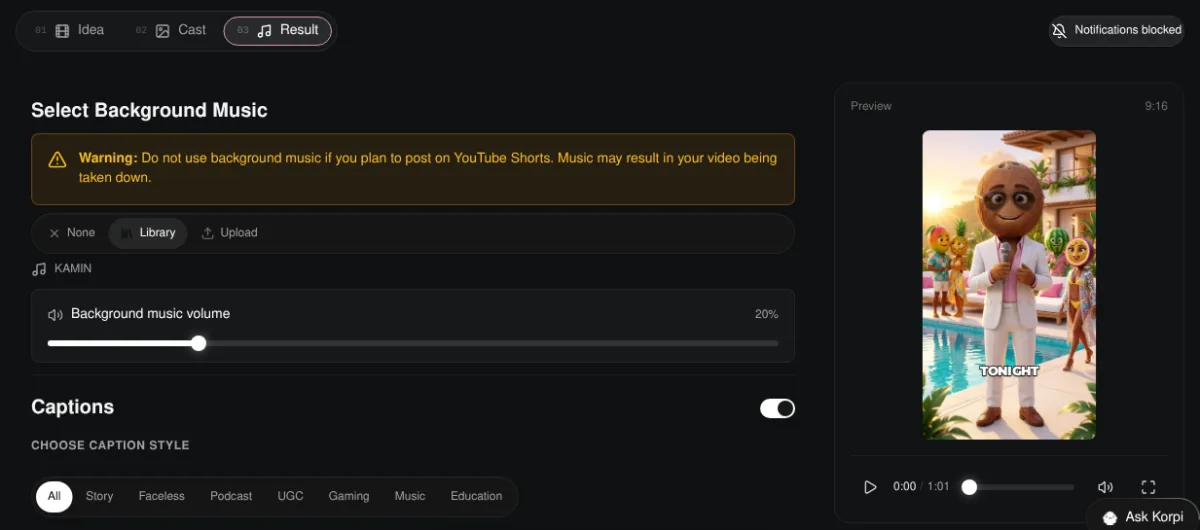
The Result tab has two settings:
- Select Background Music. Choose None, pick a track from the Library (the default is KAMIN at 20% volume) or Upload your own. Korpi warns you not to use background music if you plan to post on YouTube Shorts, because music can get the video taken down there.
- Captions. On by default. Pick a caption style under Choose Caption Style, filtered by Story, Faceless, Podcast, UGC, Gaming, Music and Education.
Step 5: Render and post
Click Generate video at the bottom of the Result tab. When the render finishes, Korpi shows Your video is ready with a platform preview and a ready-to-post kit (title, caption and hashtags for TikTok, YouTube Shorts and Instagram Reels), and you can download the file.
Plan it for free first (optional)
If you work inside Claude or ChatGPT, connect Korpi MCP. Its script and storyboard planning tools are free on every account, no plan needed. Plan the twist and the fire pit ending in chat, then make the episode in the creator.
What makes a Fruit Love Island episode work
- One villa moment per episode. A lie detector, a recoupling or a bombshell arrival. Do not stack all three.
- Name the fruit and the role. "Dragon fruit bombshell Dex" tells the viewer who matters before the first line ends.
- Let the host frame the stakes. The example opens with Coco promising a lie detector test, which tells viewers why to keep watching.
- End on a decision. Someone left single, a public vote opening or a text arriving. That is the hook for part two.
Fruit Love Island FAQ
Is Fruit Love Island its own creator?
No. It is a script type inside the AI Fruit Story creator. Choosing it switches the creator to the Idea, Cast and Result tabs.
How long is a Fruit Love Island episode?
About one minute, built from 13 to 14 short scenes. The example episode runs 1:01 across 13 scenes.
Can I write my own episode?
Yes. Choose Write your own on the Idea tab and describe the episode. The five ideas are starting points, not limits.
Is it free?
You can watch the example free, and planning through Korpi MCP is free on any account. Generating and exporting your own Fruit Love Island video needs a paid Korpi plan. See pricing for current plans.
See what else Korpi makes
Every video below is a real render — click one and make your own version.
Ready to create viral content?
Watch the example free and plan scripts free with Korpi MCP. Generating and exporting your own Fruit Love Island video requires a paid plan.
Open This NicheFound this helpful? Share it with other creators!