How to Make AI Fruit Story Videos, Step by Step
The exact Korpi workflow for AI fruit story videos: pick an idea style, write or generate a scene-by-scene script, generate a consistent fruit cast, add music and captions, and render.
Published Updated
Quick answer
Open AI Fruit Story. On the Script tab, click Generate w/ AI, pick a duration and an Idea Style, and generate ideas, or paste your own script into the Story Script box. On the Scenes tab, Korpi builds a fruit-headed cast and the vertical scenes. On the Audio tab, choose music and a caption style, then click Generate video.
What an AI fruit story video looks like
Every character is a person with a fruit for a head: a banana husband, a strawberry best friend, a coconut boss. They live in ordinary places such as offices, hospitals, kitchens and mansions, and the story is usually a short family or relationship drama with one twist. Each scene has a spoken line and big centred captions.
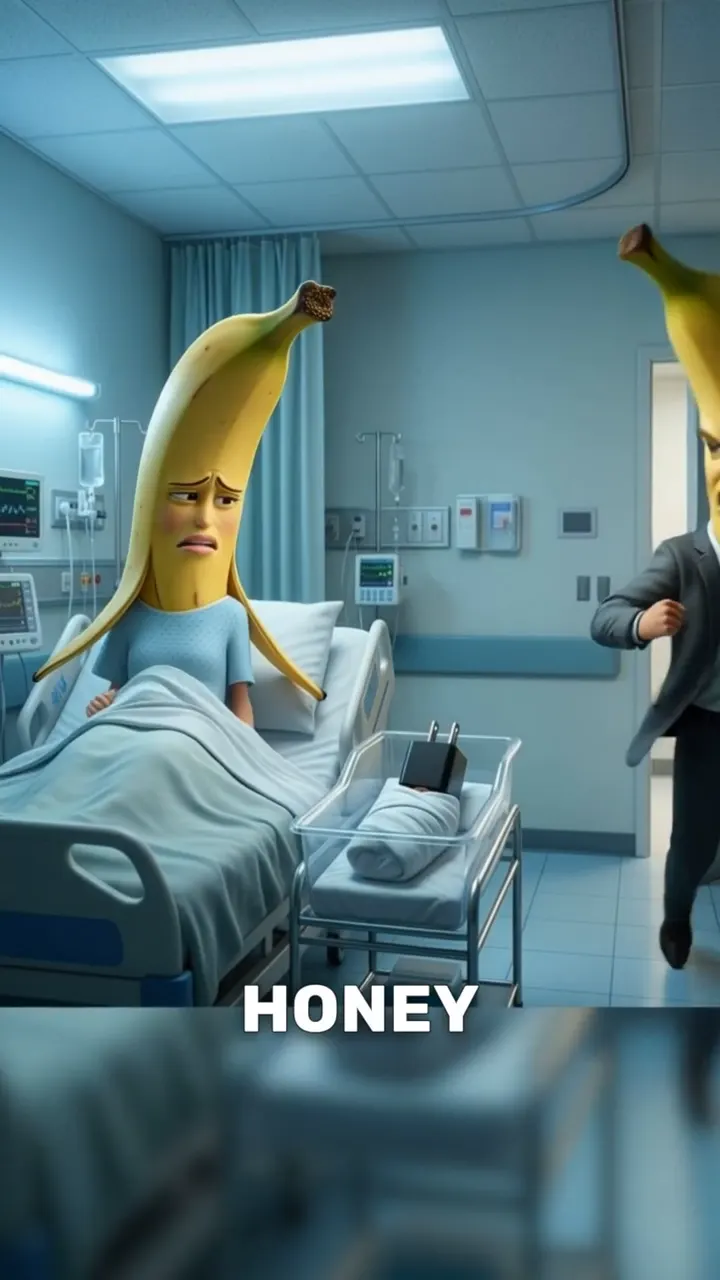
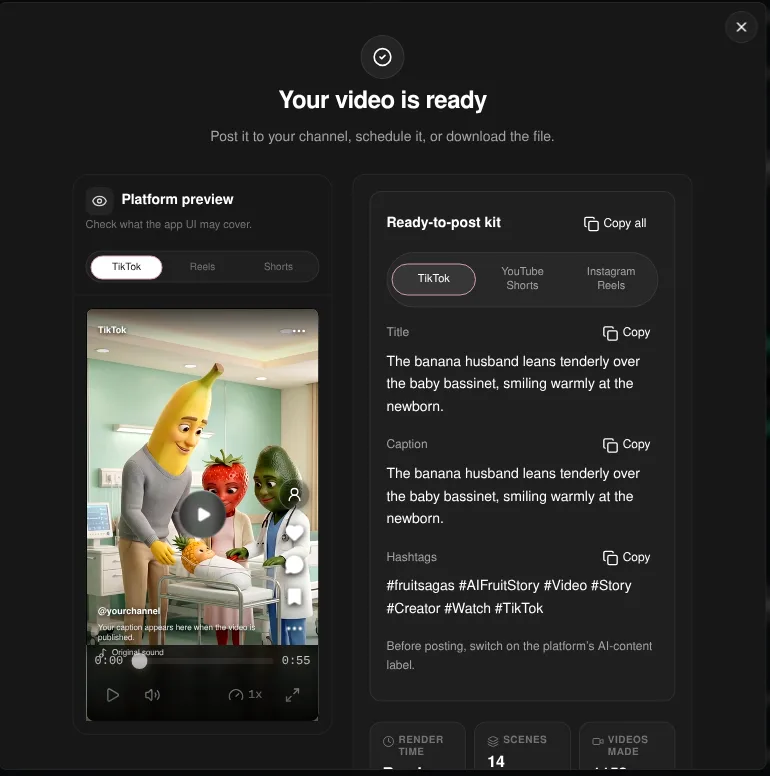
The example video is about one minute long. A banana couple goes from an office to an ultrasound appointment to a hospital room, and the same banana character appears in every scene.
Step 1: Pick a duration and an idea style
Open AI Fruit Story. The first tab is Script, with a One-off / Series switch at the top. Leave it on One-off for a single video, or choose Series to make numbered parts.
Click Generate w/ AI above the Story Script box. The dialog has three parts:
- 1Duration. 30s, 45s (the default), 1m, 1.5m, 2m, 3m, 5m, 10m or 15m. Longer scripts get more scenes.
- 2Source. Idea List suggests ideas for the style you pick. Custom Topic lets you describe your own story. Remix Video takes a TikTok, YouTube or Instagram link and writes a new script from it.
- 3Idea Style. The story format. Options include Cheating At Work (the default), Cheats Back, Restaurant Rivalry, Basketball Family, Swap Glow-Up, Million Challenge, Hidden Pregnancy, Family Melodrama, Influencer Drama and Fruit Love Island.
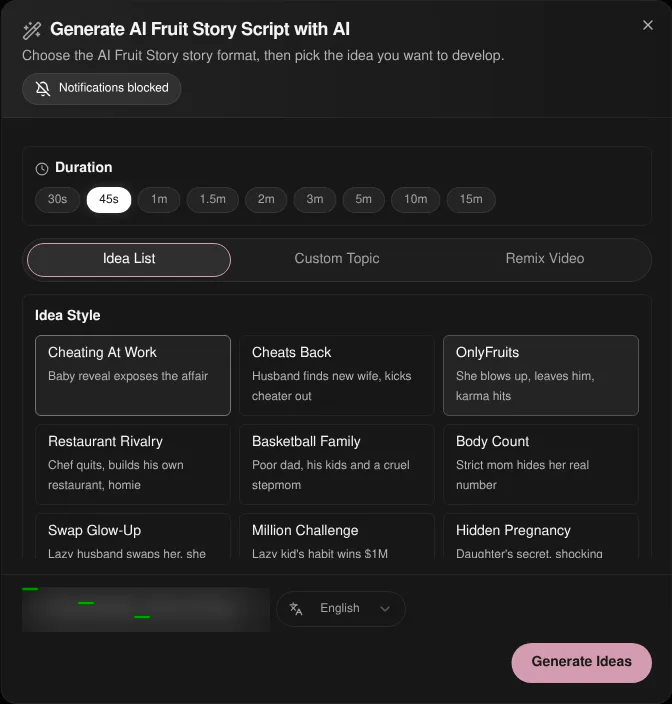
Pick the output language at the bottom of the dialog, then click Generate Ideas and choose one with Use Selected Idea.
Fruit Love Island is a special case: it opens its own Idea, Cast and Result flow. See the Fruit Love Island guide.
Step 2: Edit the script
The script lands in the Story Script box, one scene per line. Each line names the setting and the character, then the spoken line: "SCENE 3: Hospital room, Bella holds an ultrasound photo… DIALOGUE — BELLA: …". The counter above the box shows the character count and the estimated duration.
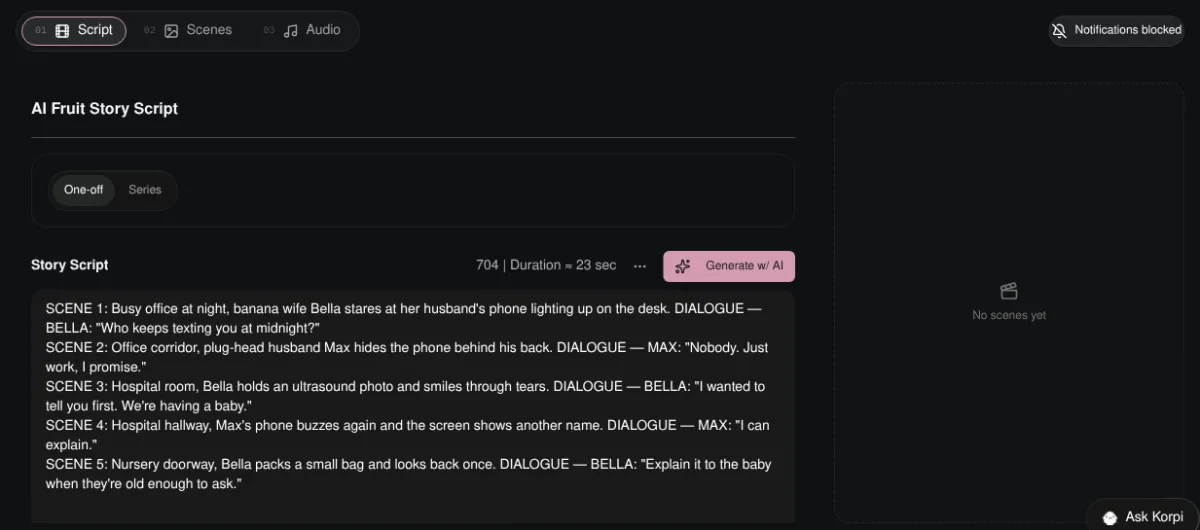
You can also skip generation and type or paste your own script in the same format. Korpi plans the scenes from whatever is in the box.
Tip: give each main character one fruit and keep it. "Banana wife Bella" in scene 1 should still be a banana in scene 12.
Step 3: Generate the cast and scenes
Click Next to open the Scenes tab, then click Generate Scenes and Characters. Korpi reads the script and makes a reference image for each recurring character. Check them under Review your elements, then click Continue to scene images (or Skip references if you do not need a recurring cast). Korpi writes the scene prompts from your script and decides how many scenes to make, so the exact count appears once generation runs. The references keep the same fruit faces and outfits from the first scene to the last.
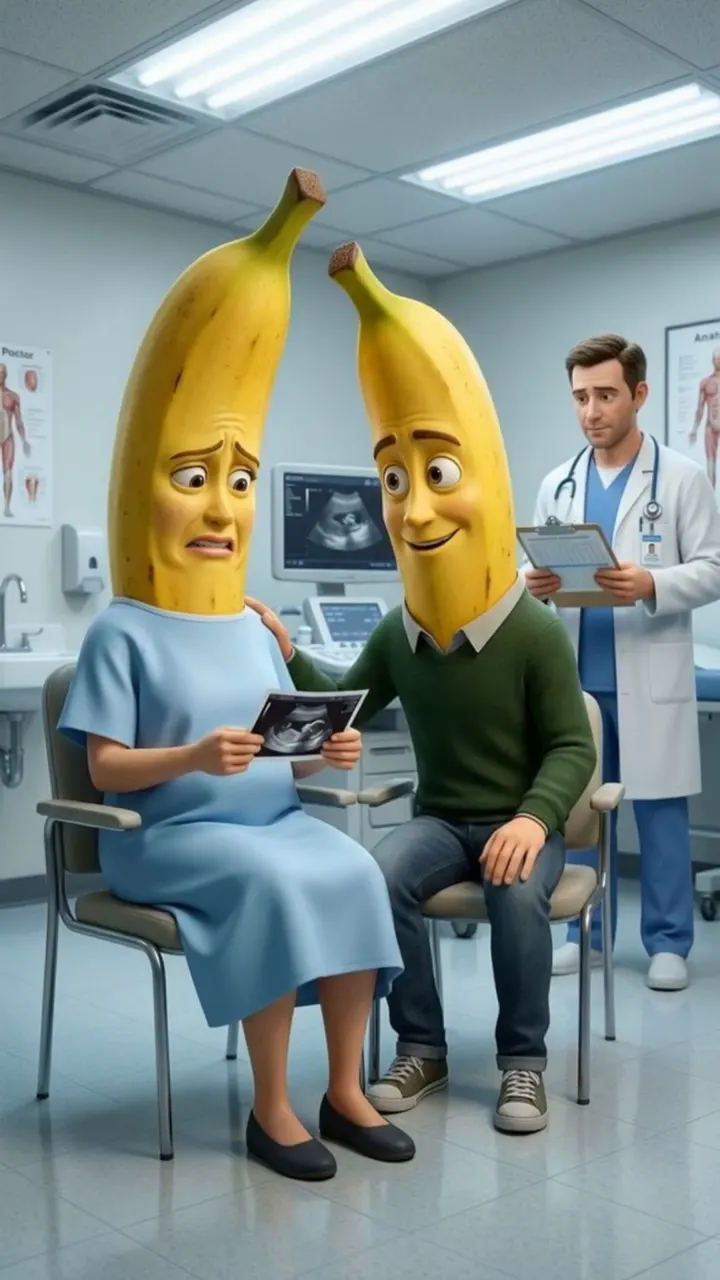
The scenes appear under Generated Scenes, numbered and labelled with their time range. Regenerate any scene that does not match its line, then animate them one by one or all at once with Animate All. Revoice All redoes the voices if you change the dialogue.
Step 4: Add music and captions, then render
On the Audio tab:
- Select Background Music. The default is KAMIN at 20% volume. Choose None, another track from the Library, or Upload your own. Korpi warns that background music can get a video taken down on YouTube Shorts.
- Captions. On by default. Pick a style under Choose Caption Style.
Click Generate video. When the render finishes, Your video is ready shows a platform preview for TikTok, Reels and Shorts plus a Ready-to-post kit with a title, caption and hashtags you can copy. It also reminds you to switch on the platform's AI-content label before posting.
Plan it for free first (optional)
If you work inside Claude or ChatGPT, connect Korpi MCP. Its script and storyboard planning tools are free on every account, no plan needed. Draft a few fruit story ideas in chat, then paste the best script into the Story Script box.
What makes an AI fruit story work
- One twist. A hidden pregnancy, a swapped phone or a surprise visitor. One reveal, set up early and paid off at the end.
- Fruit as casting. Pick fruit that says something: a prickly pineapple rival, a soft peach friend, a tough coconut boss.
- Ordinary places. Offices and hospital rooms make the fruit faces funnier and the drama easier to follow.
- Short lines. One spoken sentence per scene keeps captions readable on a phone.
AI Fruit Story FAQ
Can I use my own script?
Yes. Paste it into the Story Script box instead of generating one. Korpi plans the scenes from your text.
How long can a fruit story video be?
The script dialog offers durations from 30 seconds to 15 minutes. 45 seconds is the default.
Do the characters stay the same between scenes?
Yes. Korpi makes a reference image for each recurring character and reuses it in every scene, so the same banana stays the same banana.
Is it free?
You can watch the example free, and planning through Korpi MCP is free on any account. Generating and exporting your own AI Fruit Story video needs a paid Korpi plan. See pricing for current plans.
See what else Korpi makes
Every video below is a real render — click one and make your own version.
Ready to create viral content?
Watch the example free and plan scripts free with Korpi MCP. Generating and exporting your own AI Fruit Story video requires a paid plan.
Open This NicheFound this helpful? Share it with other creators!