Best AI Faceless Video Generator: Compared
Compare faceless video workflows, dated competitor features and Korpi's current costs for scripts, visuals, voiceover, captions and scheduled Shorts.
Published Updated
This is a real Korpi render. Make your own in about a minute.
Make this video freeThe best AI faceless video generator depends on what you need to make: a narrated story, a recurring channel series, a marketing video or an edited Short. Korpi combines niche-specific scripts, visuals, voiceover and captions, with an AI Agent and scheduled campaigns. This guide compares that workflow with six alternatives using their own product pages, checked October 20, 2026. It is published by Korpi, and the recommendations below describe fit rather than independent test rankings.
An all-in-one tool should cover the journey from topic to finished video. Check what happens between those endpoints: can you review the script, inspect individual scenes, hear the narration and decide how the result gets published? Automated production and automatic posting are separate choices. Neither guarantees views, income or acceptance into a platform's monetization program.
What to compare before choosing
Start with your source material. A creator writing original survival stories needs a different structure from a business turning product information into an explainer. Compare a real example in your intended format rather than treating every text-to-video demo as interchangeable.
Then check the unit you are buying. A subscription may include credits, video minutes, exports or a fixed number of Shorts. Animation, longer scripts and retakes can change the cost. Review your plan's limits and the displayed quote before starting work, and check whether channel connection and posting are included in the workflow you choose.
Korpi's all-in-one faceless workflow
Korpi's dashboard has 204 niche routes, counted from the same catalog the app displays. These include stickman animation, Reddit stories, AI stories and fake text messages. The niche determines the creator's structure; it is more specific than choosing a visual filter for a generic video.
| Feature | What Korpi offers | Where to use it |
|---|---|---|
| Niche catalog | 204 niche routes with formats such as narrated stories, quizzes and chat videos | Browse niches |
| Script, voiceover, visuals and captions | A creator workflow for preparing and reviewing the parts of a faceless video | Stickman creator |
| AI Agent | Describe your video in one sentence; the agent can choose a niche, write the script and render the video | AI Agent |
| Automation campaigns | Choose a supported niche, topic and schedule, with optional connected YouTube or TikTok publishing | Campaign setup |
Use the creator when you want to inspect each stage. Use the Agent when you want to describe the result conversationally. Use a campaign when your goal is a repeatable schedule. The tools share a product, but their controls and billing allowances are not interchangeable. Check the selected workflow before launching a recurring task.
Current costs and what is paid
Current Korpi monthly pricing in USD, checked October 20, 2026, comes from the same live plan catalog as pricing. Checkout shows billing options and applicable offers. The credit column is the base monthly AI-credit allowance, not a guaranteed number of finished videos.
| Korpi plan | Current monthly price | Included AI credits per month |
|---|---|---|
| Hobby | $19.99/month | 500 |
| Clipper | $34.99/month | 800 |
| Pro | $47.99/month | 1,200 |
| Unlimited | $149/month | 10,000 |
Public example videos are free to watch. Custom generation and export require a paid plan and the applicable credits or included allowances. A subscription price alone does not tell you the cost of a particular animated video: duration, scene choices and retakes affect usage. Review the quote in the app rather than estimating a fixed per-video price from the subscription.
Dated comparison: where alternatives fit
The following product facts come from each competitor's own linked page, checked October 20, 2026. They describe advertised features, not results from a paid output benchmark. Competitor pricing is not compared because a headline subscription price does not establish equivalent production allowances.
| Tool | Advertised workflow | Where it wins for a particular need | Source and check date |
|---|---|---|---|
| Revid.ai | Turns prompts, scripts, links, product pages, audio or PDFs into an editable script, visual, voice and caption workflow | Repurposing several kinds of source material and discovering existing video formats in one product | Revid.ai — checked October 20, 2026 |
| AutoShorts.ai | Topic-based Series, pre-publish script, title, image and music edits, channel connections and posting schedules | A focused recurring faceless Series with preview and schedule controls | AutoShorts.ai — checked October 20, 2026 |
| Faceless.video | Scheduled niche-based drafts that you can customize before publication or let publish automatically | A scheduled draft queue with a choice between review and automatic publication | Faceless.video — checked October 20, 2026 |
| InVideo | Footage search, a multitrack timeline, instructions across multiple shots and real-time collaboration | Collaborative team editing and timeline control over existing footage | InVideo — checked October 20, 2026 |
| StoryShort | Reference-creator discovery, topic repurposing, recurring speaking characters and scene-level chat edits | Character-led series built around references and recurring voices | StoryShort — checked October 20, 2026 |
| Faceless.so | Niche Series with an approve, edit or skip queue, scheduled posting, API, MCP and CLI access | An approval queue and integrations across TikTok, YouTube Shorts, Instagram Reels, Facebook, LinkedIn, Threads and X | Faceless.so — checked October 20, 2026 |
Scheduling details differ. Faceless.video says you can adjust posting frequency but cannot choose the exact posting time (checked October 20, 2026). AutoShorts.ai shows its free plan as temporarily paused (checked October 20, 2026); do not assume that a historical free-trial description is still available.
The useful question is which workflow removes your actual bottleneck. If you need a recurring channel pipeline, compare scheduling and review controls first. If you need a single polished explanation, inspect script and scene editing. If you are choosing between animated storytelling and stock-footage marketing, compare examples of both before deciding that one tool replaces the other.
How to make a faceless Short in Korpi
Step 1: Pick the niche
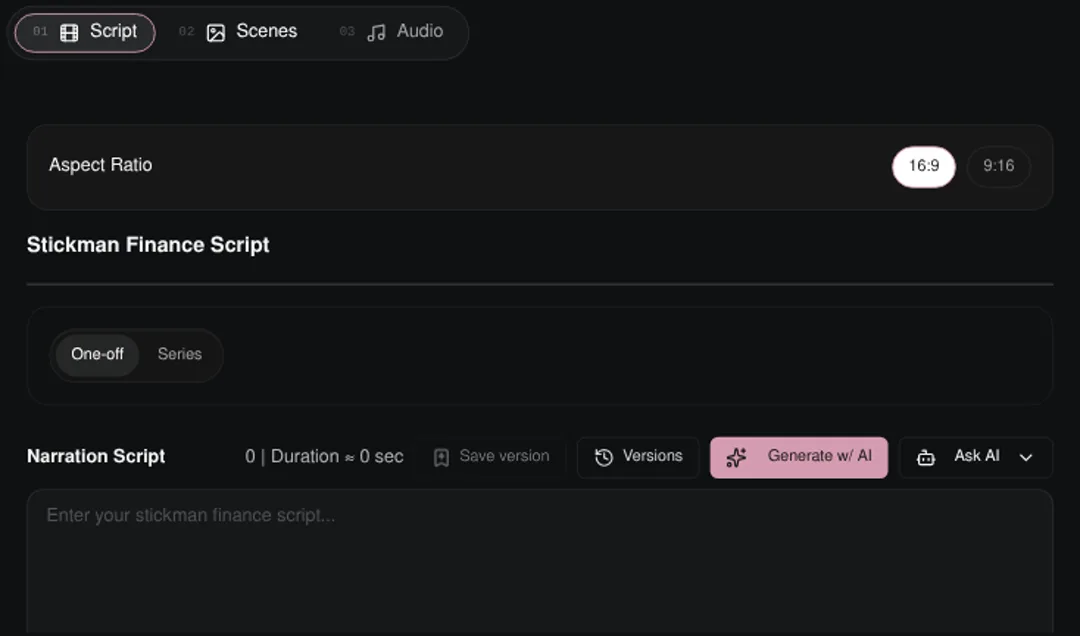
Open the dashboard and choose a format that matches the idea. A stickman explainer, a Reddit-style narration and a text conversation need different scripts. Start from the format you intend to publish, then choose the available settings. You can also reopen an existing saved project to inspect the workflow without generating another video.
Step 2: Review the script
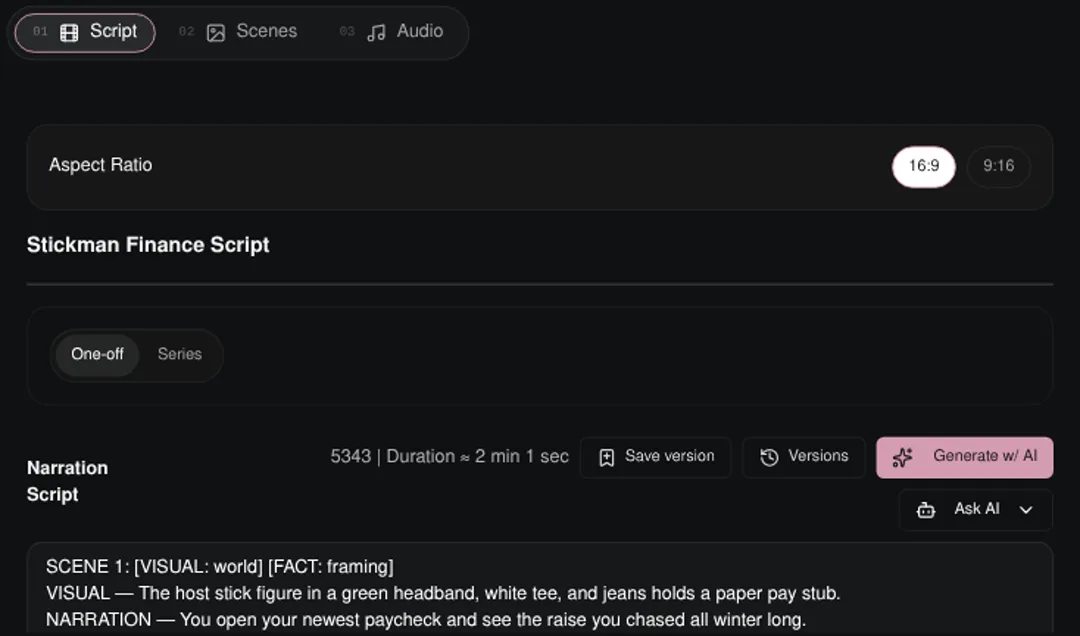
Open the Script tab and review the hook, sequence and ending. Check factual statements yourself, especially when covering history, finance or real people. Remove material you do not have permission to use. A generated script is a draft to review; neither an AI tool nor a template replaces editorial responsibility.
Step 3: Check the scenes
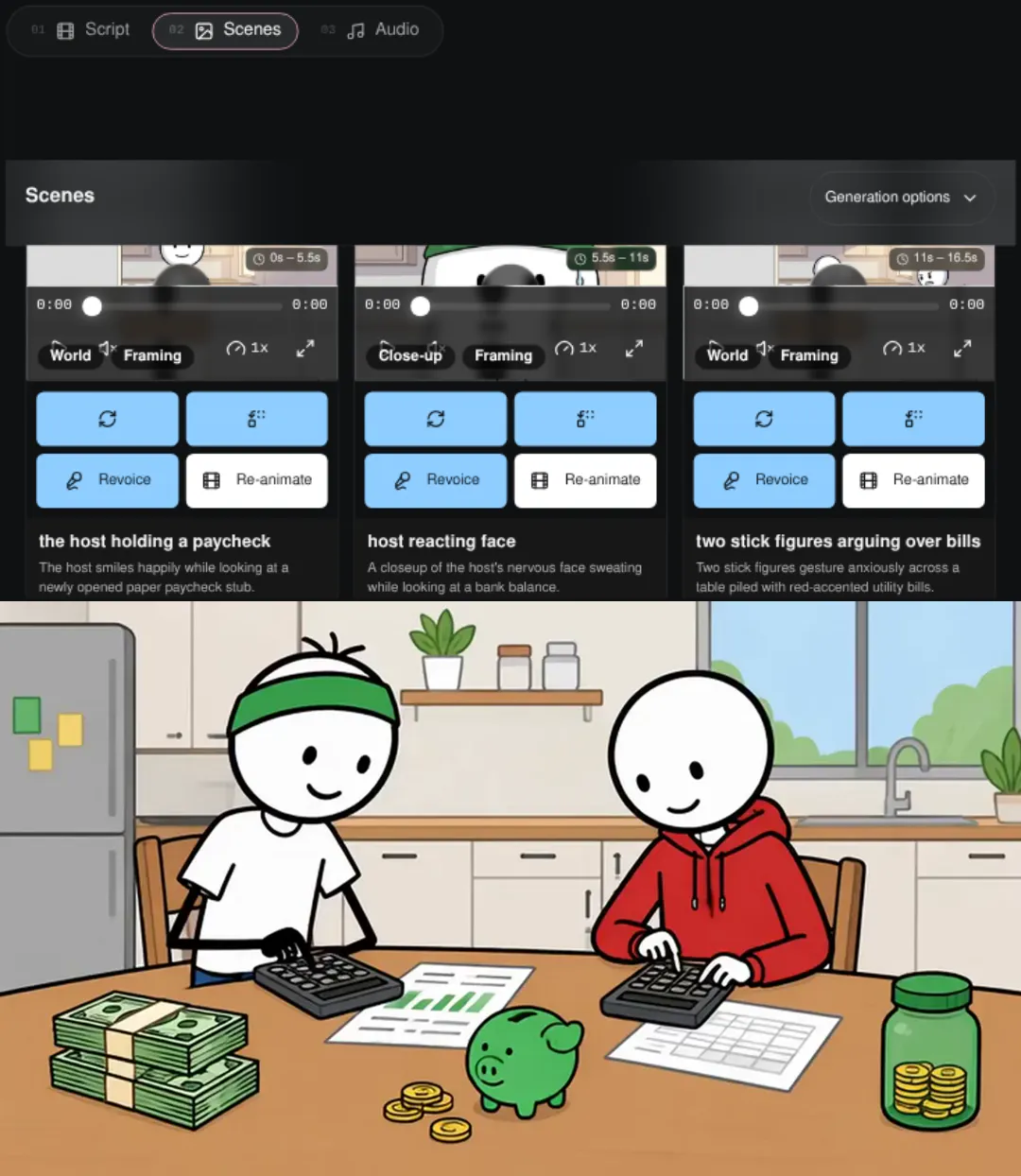
Open the Scenes tab and inspect how the visual sequence supports the narration. Check character continuity, readable captions and whether the image matches the sentence it accompanies. Inspect existing scene assets before requesting retakes. New generation can use credits, so the review stage should happen before you approve additional paid work.
Step 4: Review the final video

Watch the finished video with sound. Check pronunciation, caption timing, framing and whether the ending is complete. Download or use the publishing controls for the selected workflow. For recurring campaigns, verify the connected channel and schedule.
Which tool should you choose?
Choose Korpi when niche-specific creation, an editable sequence of script and scenes, and optional scheduled production match the way you work. Start by watching the public stickman examples or exploring a relevant creator, then compare the paid plan and usage rules with your intended output.
Choose an alternative when its particular strength matters more to you: a recurring-series product, a broader general-purpose editor, a stock-led workflow or a publishing system you already use. Follow the product links above and verify the exact features at checkout. There is no single ranking that can settle those tradeoffs for every creator.
If you are new to faceless Shorts, keep the first project focused on one audience and one repeatable format. Inspect the script, scenes and final result before expanding a schedule. Consistent publishing is a production choice; audience response still depends on the subject, originality, execution and platform rules.
See what else Korpi makes
Every video below is a real render — click one and make your own version.
Ready to create viral content?
Watch public examples free. Generating and exporting your own video requires a paid plan and available AI credits.
Try Korpi AI NowFound this helpful? Share it with other creators!